
If you had an idea for a million-dollar app, your options were limited: Learn to code in six months or hire someone at an agency to do it for around $30,000. Today, however, that barrier has officially broken.
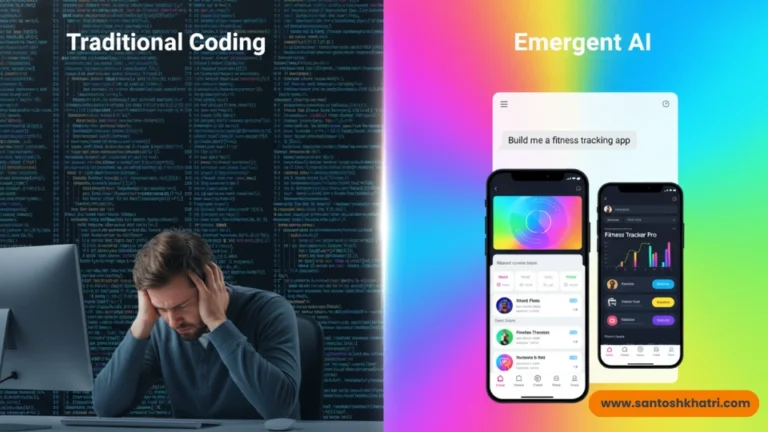
With the rise of “vibe coding”—a term used to describe building software through natural conversation—anyone can now build Android and iOS apps with AI in a matter of hours. Leading this revolution is Emergent.sh, an agentic full-stack platform that doesn’t just suggest code snippets; it acts as your entire engineering team.
In this complete tutorial and review, I’m going to show you how to leverage Emergent to build a production-ready mobile app purely off of a simple prompt.
What is Emergent.sh?
This is not your typical “no-code” drag-and-drop builder. A Multi-Agent Architecture has been used for building an AI-driven development platform. When you prompt it, instead of guessing, it sends out specialized AI agents to do the work:
- The Planning Agent: Provides you with a Product Manager to split your idea into technical requirements.
- The Architect Agent: Creates your database (MongoDB/PostgreSQL) and API routes.
- The Coding Agent: Writes the actual React Native (for mobile) or Next.js (for web) code.
- The Testing Agent: This is the “secret sauce.” It automatically runs unit tests and fixes bugs before you even see the first preview.
Why Use AI for Mobile Development?
Building a mobile app is always harder than building a web app. You need to manage variety of screen sizes, hardware permissions (camera, GPS), and the stringent guidelines represented by the Apple App Store and Google Play Store.
Emergent Overcomes These Hurdles Using an AI Platform:
- Generate Cross-Platform Code: It uses React Native and Expo, write once, and it works for both iPhone and Android.
- Instant Previews: Scanning a QR code sounds like magic; look at your App running on your real phone with the Recommended Expo Go app.
- Self-Healing Code: If an API goes down or if a button crashes, the AI searches across the logs and corrects itself.
Step-by-Step Tutorial: Build Your First App with Emergent
Step 1: Define Your “Vibe”
Navigate to the Emergent Landing Page and sign in. You’ll be greeted by a prompt bar. This is where the magic starts.
Forget the technical specs, explain your app as if you were explaining it to a friend.
- Example Prompt: “Build a cross-platform mobile app for a local coffee shop. It needs a menu, a user loyalty points system, Google login, and a way for users to upload a photo of their receipt to earn points using the camera.”
Step 2: Agent Coordination
Once you hit enter, watch the left-hand sidebar. You’ll see the Planning Agent creating a roadmap. It will request clarifications about things like what color scheme you want, or features. After the confirmation, we have both the Backend and Frontend agents working on building both the DB and UI in parallel.
Step 3: Real-Time Mobile Preview
Emergent provides a live web preview, but since we want to build Android and iOS apps with AI, you need to see it on a device.
- Download the Expo Go app on your phone.
- In the Emergent dashboard, click “Preview on Mobile.”
- Scan the QR code displayed on your screen.
This will launch your app immediately on your phone, so you can test camera and touch gestures in real time.
Step 4: Iteration and “Vibe” Tweaks
The first version might not be 100% perfect. This is where you iterate.
- Prompt: “The login button is too small, make it a rounded blue button with white text.”
- Prompt: “Add a ‘Dark Mode’ toggle in the settings menu.”
Within seconds, the AI will update the code, run tests, and push to your preview.

Review: Is Emergent Worth It?
After testing several AI app builders, here is my honest take on Emergent’s strengths and weaknesses.
- True Full-Stack: Most AI builders only give you a "pretty UI." Emergent actually builds the backend, connects the database, and sets up authentication (Google/Magic Links) out of the box.
- Zero Vendor Lock-in: You can click "Download Code" at any time. This gives you a standard React Native / Node.js project that you can host anywhere or give to a human developer later.
- Self-Healing QA: It’s really thrilling when the AI hits an error, reads its own console logs and says “I found a bug in the API route, I am going to fix it.”
- GitHub Integration: Every change can be automatically pushed to a GitHub repo, keeping your version history clean.
- Credit System: Emergent uses a credit-based model. Complex apps that require many "self-healing" loops can burn through credits faster than expected.
- UI Fine-Tuning: While it’s great at layouts, getting "pixel-perfect" designs can sometimes take 3-4 prompts of back-and-forth.
- Free Plan: Great for "kicking the tires" with 10 free credits.
- Standard ($20/mo): The sweet spot for founders. You get 100 credits and GitHub integration.
- Pro ($200/mo): For serious creators. Includes the "Ultra Thinking" models and massive context windows for complex enterprise apps.
SEO Tips for Launching Your AI-Built App
Once you’ve used AI to build your app, you need people to find it. Here’s how to ensure your app succeeds:
- App Store Optimization (ASO): If it is something like this, use your focus keyphrase "Build Android and iOS app with AI" in the description of your app.
- Performance: Ensure your AI-generated code is optimized. Emergent does a good job here, but always check image sizes.
- User Feedback: Use the "Iterate" feature in Emergent to quickly deploy updates based on early user reviews.

Final Verdict
If you want to build Android and iOS apps with AI in 2026, Emergent is currently the gold standard. It fills the space between “basic AI chat” and “professional software engineering.”
This platform allows you to ship fast scalable, real world products using their infrastructure, whether you are a non-technical founder with an idea looking to build MVP or a developer looking for 10x speed-up in your productivity.
So, are you ready to make your idea into an app? Try Emergent today and start “vibe coding” your future.
FAQ: Building Apps with AI
No. You only need to be able to describe what you want in plain English.
Yes. Emergent generates production-ready code. You will still need an Apple/Google Developer account to submit them, but the hard part (the coding) is done for you.
A basic functional app can be built in under 30 minutes. Complex apps with custom logic might take a few hours of prompting and testing.